AI Guide
Jev Ecosystem Hands-On: 5 Builds You Can Run This Weekend

Sep
The companion post mapped the 9 layers of the Jev ecosystem. This one gives you commands. Five builds, each under two hours, each teaching a different property of the decision layer: what the wire looks like, what local buys you, what 13 milliseconds feels like, what a re-grounded browser loop does, and how you would ever know any of it is working.
You need an Apple Silicon Mac for three of the five, a browser, and a couple of hours spread over a weekend. Total cost: under a dollar, because hosted Jev is free on the Vercel AI Gateway until September 25.
The 30-Second Version of the Jev Ecosystem (If You Skipped the Map)
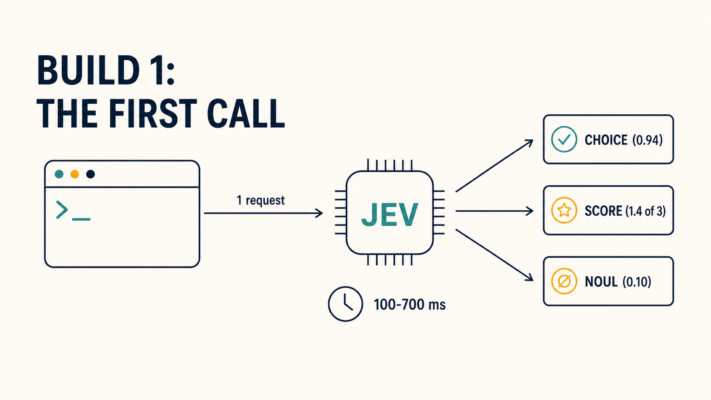
Jev is TypeSafe AI‘s System One model. You send it a state (text or JSON) plus typed questions defined in code, and it returns typed answers with probabilities. It writes no text. Three question types:
| Type | What it returns |
|---|---|
| Choice | One of up to 255 options, with a probability for every option |
| Score | An expected level on an ordered rubric of 2-10 levels |
| Noul | A yes/no probability, P(true) |
The endpoint is POST https://api.typesafe.ai/v1/systemone, the current build is jev-latest (jev-1.13.0), and input costs $0.042 per million tokens with output free. Everything below is built on that one shape.
Three rules run the whole weekend, and every build enforces them:
- Jev decides, code acts, the LLM writes. If the output needs to be words, Jev is not doing it.
- Confidence is the product, not the answer. The raw choice is a byproduct. Your code branches on the probability.
- Log every call from number one. Build 5 exists because builds 1-4 all fail quietly without it.
The Build Plan at a Glance
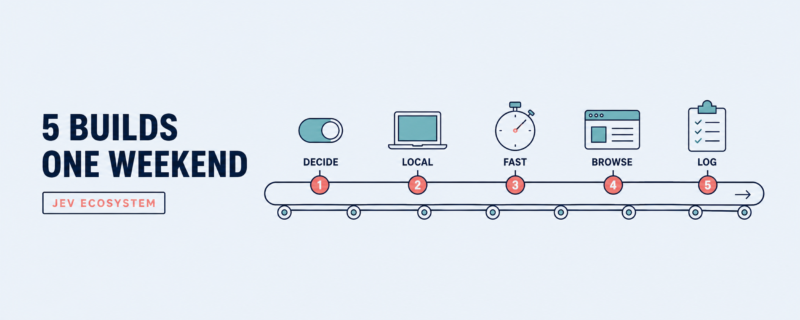
| Build | What you end up running | Time | Cost |
|---|---|---|---|
| 1. The first decision call | A live ticket router on hosted Jev | 20 min | ~$0 |
| 2. Kev on a MacBook | A Jev-compatible server with no cloud call | 45 min | $0 |
| 3. laya-mlx | A 13 ms encoder decision engine, sub-1 GB | 30 min | $0 |
| 4. The 7-second browser agent | A flight search driven by typed decisions | 30 min | < $0.01 |
| 5. The decision log + calibration check | A labeled eval you can trust | 1 hr | $0 |
Build 1: The First Decision Call (20 minutes, hosted)
Step 1: Get access. Two doors. The direct TypeSafe API is waitlisted. The Vercel AI Gateway carries typesafe-ai/jev (reachable through the AI SDK’s evaluate interface and OpenRouter’s decisions endpoint) and it is free until September 25. For this weekend, use the gateway; it is the frictionless path.
Step 2: Pick a decision you actually have. Not a toy. One of these, straight from your own stack:
- Which department owns this support ticket (Choice)
- Is this user message about billing? (Noul)
- Classify this error log into a fix category (Choice)
- Is this agent output safe to send? (Noul)
The right pick has three properties: called often, bounded options, cheap to be wrong about.
Step 3: Write the questions. Question quality is the whole game, so here is the checklist:
| Rule | Bad | Good |
|---|---|---|
| Name the evidence for Noul | “Is this urgent?” | “Is the customer asking for a refund of money already spent?” |
| Criteria are descriptions, not labels | criteria: [“billing”, “sales”] | criteria: { billing: “payments, refunds, invoices”, sales: “new purchases” } |
| One decision per question | “Which team, and is it urgent?” | Two questions, not one |
Step 4: Call it.
curl -X POST https://api.typesafe.ai/v1/systemone \
  -H "Authorization: Bearer $TYPESAFE_API_KEY" \
  -H "Content-Type: application/json" \
  -d '{
    "model": "jev-latest",
    "state": {
      "subject": "Refund not received",
      "body": "I cancelled two weeks ago and still have no refund."
    },
    "questions": {
      "department": {
        "type": "choice",
        "instructions": "Which team should handle this ticket?",
        "criteria": ["billing", "support", "sales"]
      },
      "churn_risk": {
        "type": "noul",
        "instructions": "Is the customer likely to cancel or dispute?"
      }
    }
  }'
Step 5: Branch on the confidence, not the answer.
p = ans["department"]["probabilities"]
best = max(p, key=p.get)
if p[best] >= 0.85:
    route_to(best)                        # confident: auto-route
elif p[best] >= 0.60:
    route_to(best, flag_for_review=True)  # borderline: route, sample for review
else:
    send_to_human()                       # unclear: do not guess
Step 6: Run ten real cases. Pull ten real tickets or messages from your own data and read the probabilities next to what you would have done. What you will notice: end-to-end latency in the 100-700 ms range (the independent jevals numbers put p95 at 653-693 ms, so plan around that, not the 70 ms from the launch post), cost on input tokens only, and an answer shape you never have to parse.
Build 2: Kev on Your MacBook (45 minutes, local)
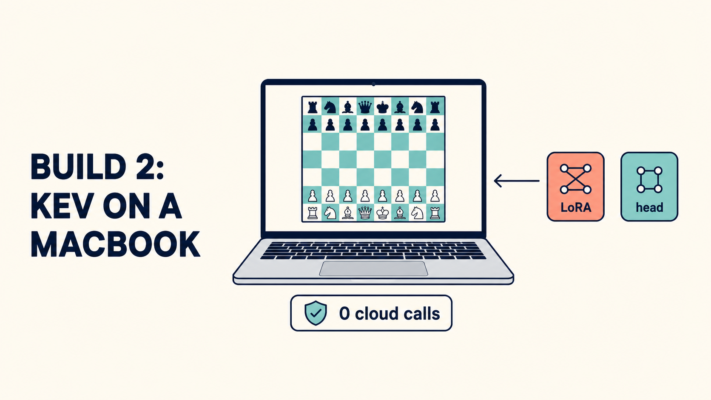
Why build a local lane? No API key, no prompt text leaving the machine, works offline, and it is the cheapest possible A/B against Build 1.
Kev is Jared Palmer’s Apache-2.0 decision model: a LoRA plus a pointer head on Qwen2.5-0.5B. The document and all of your questions get packed into one prefill, a block-causal mask keeps the questions isolated from each other, and the head emits probabilities directly instead of decoding text. An 8B version exists too, if you want headroom.
Step 1: Clone it.
git clone https://github.com/jaredpalmer/kev
cd kev
# Follow the README: install dependencies, then start the
# TypeSafe-compatible server.
Step 2: Run Build 1’s code against it. This is the part that should feel like a trick. Your client from Build 1 points at a base URL. Change one line:
export TYPESAFE_BASE_URL=http://127.0.0.1:8787 # port depends on kev's setup
Same questions, same state, same response shape, different brain. No code changes anywhere else. That is the entire point of the “Jev-compatible” label: the interface outlived the vendor.
Step 3: A/B it on 50 of your own examples. Take the 50 cases from Build 1 and run both. Record:
| Metric | Hosted Jev | Kev (local) |
|---|---|---|
| Accuracy on your 50 | ||
| Median latency | ||
| Cost | $0.02-0.04 per 1,000 | $0 |
| Data that left the machine | The state | Nothing |
Set expectations before you run: the Kev README reports about 160 ms for six questions, and The Unwind’s testing found Jev leading by roughly 19 points when the test moved out of domain. In-domain, after a fine-tune, that gap is the bet.
Step 4 (optional, next day): fine-tune the LoRA on your own labels. You already have labeled cases from Build 5’s plan. Train the adapter on them and rerun the A/B. Watch what 200 of your own examples do to the out-of-domain gap.
Build 3: laya-mlx (30 minutes, the fast lane)
Kev is a fine-tuned decoder-style model. Laya is the other animal in the Jev ecosystem: an encoder (ModernBERT-large, 421M parameters, PPO-trained by Convai Innovations) that answers typed questions in a single bidirectional pass with no autoregressive decoding at all.
The repo’s own benchmarks, on an M3 Max:
| Checkpoint | Median latency | Peak memory |
|---|---|---|
| Laya 421M | 13.42 ms | 943.6 MiB (under 1 GB) |
| Laya 322M multilingual | lower | 687.6 MiB |
Step 1: Get the runtime and the checkpoint.
git clone https://github.com/ipenywis/laya-ultrafast
cd laya-ultrafast
uv sync
uv run hf download aac6fef/laya-typed-decisions-mlx
cp .env.example .env
Step 2: Run a decision. The quickstart exposes the same choice/score/noul surface, through MLX, on your machine. Point a state at it and read the probabilities. If Build 1 felt like a network call, this feels like a CPU instruction.
Step 3: Watch a decision model play. Run the Snake or T-Rex demos in the laya-mlx repo (or the laya-vs-jev arena, where local Laya and hosted Jev compete on the same frames). This is the fastest way to internalize what “typed decision” means: no plan, no prose, no reflection, just the next move with a probability, every tick.
Step 4: Put it in the sidecar. The laya-jev repo runs upstream browser agents against a local Laya sidecar with a 3-line endpoint override, and laya-ultrafast ships the same trick as a one-variable switch (DECISION_MODEL=laya or typesafe). After this step, Build 4’s browser agent can run with zero cloud calls.
Two limits to respect, both published by the repos themselves: context is 512 or 1,024 tokens depending on the checkpoint (hosted Jev has 32K), and the viral “50x faster than Jev” claim comes from a single X post with no disclosed methodology. The 13.42 ms number is real and reproducible. The multiple is not established.
While the demos run, watch for four specific things, because they are the whole argument of this layer:
- The latency is boring. After the first checkpoint load, each decision lands in the single-digit to low-double-digit millisecond range. Staring at a Snake game think at that speed is the fastest way to understand why “no decoding” matters.
- The probabilities move. In the T-Rex arena, the action distribution sharpens as the obstacle gets closer. That is calibration you can watch with your eyes, not in a table.
- The memory is the surprise. Sub-1 GB peak for a 421M model means this runs on laptops that cannot touch the hosted API’s context budget, and it leaves room for the actual application.
- The context limit shows up immediately. Feed the decision a long state and the truncation changes the answer. That is the exact moment you understand the trade you are making by going local.
Build 4: The 7-Second Browser Agent (30 minutes, hosted, or local after Build 3)
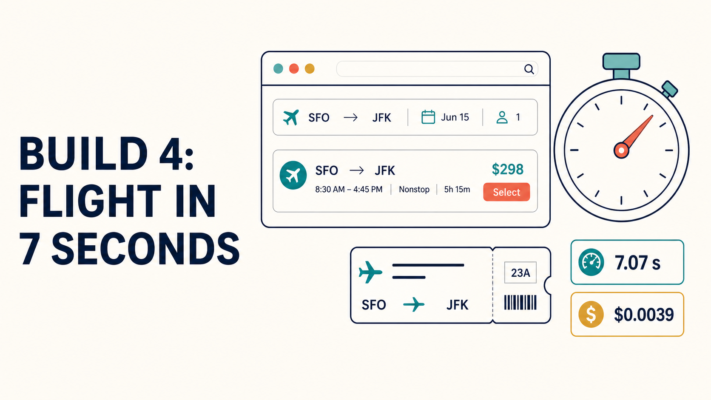
Why this one: it is the most visible public proof that the pattern works outside a notebook, and the receipts are published.
Browser Use’s jev-ultrafast rebuilds the browser-agent loop around Jev. Every step, the agent reads an atomic DOM snapshot into an indexed table of visible controls, and Jev scores two heads against that table in one request: an operation (CLICK, TYPE_TEXT, SELECT, SCROLL_UP, SCROLL_DOWN, WAIT, DONE, BLOCKED) and a target element. A small text model is invoked only when the operation is TYPE_TEXT. No screenshots in the decision loop.
Step 1: Clone and configure.
git clone https://github.com/browser-use/jev-ultrafast.git
cd jev-ultrafast
uv sync
cp .env.example .env
# Add TYPESAFE_API_KEY and TEXT_MODEL_API_KEY (OpenRouter works for the text model)
uv run jev
Step 2: Run a real search. Point it at Google Flights, give it your own route and date in one sentence, and open the local inspector at http://127.0.0.1:8766. Watch the element table rebuild after every action. That rebuild is the whole trick: the plan from three clicks ago is fiction, so the action space gets re-grounded every step.
Step 3: Read the receipts. The published run: a Zurich to London search in 7.073 seconds at 1x speed, independently verified, using 17 Jev requests at 178 ms median latency, costing $0.0039 total. Against the prior version of the same agent: median task time down 25% (9.45s to 7.09s) and median browser protocol calls down from 1,092 to 101.
Step 4: Break it on purpose. Change one thing and watch what happens. Swap the text model. Add your own “is the goal met” Noul question to the loop. Run it against a page with iframes. The failures are the lesson: the README is explicit that a DONE decision is not proof of success, and that shadow roots, iframes, canvas UI, file uploads, pop-up tabs, and nested scrolling are out of scope in this version.
If you did Build 3, rerun the whole thing with DECISION_MODEL=laya and compare step times. That A/B is more informative than any benchmark table, because it is on your machine and your pages.
Build 5: The Decision Log and a Calibration Check (1 hour, the one that makes it real)
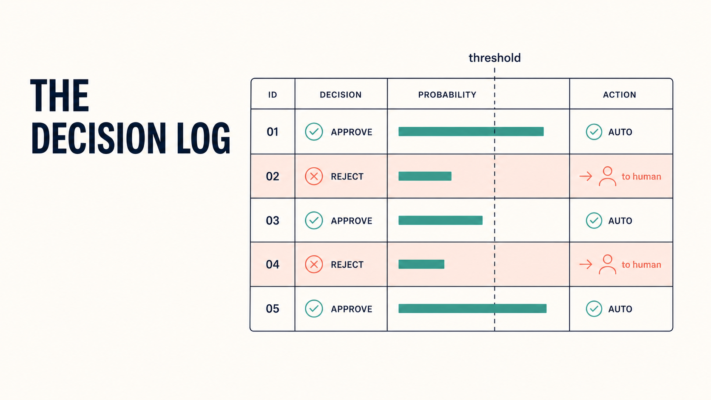
Builds 1-4 are demos. This build is what makes any of them a system. The reason: a decision layer that you cannot measure is a decision layer you cannot trust, and “trust” is the whole sales pitch of a calibrated model.
Step 1: Define the log schema. One row per question, from the first call:
| Field | Why |
|---|---|
| ts, build | which lane answered |
| question_type | choice / score / noul |
| state_hash | re-run the same input later |
| answer + full probabilities | confidence is the product |
| latency_ms, cost_usd | the two numbers your CFO asks for |
| human_label | filled in later; this is the eval |
Step 2: Get 200 labels cheaply. Do not label from scratch. You have already made these decisions in the past: old routed tickets, old review verdicts, old triage notes. Re-ask them as questions and use the historical outcome as the label. Two hundred takes an afternoon.
Step 3: Check accuracy and calibration. Accuracy tells you if it is right. Calibration tells you if it knows when it is right, and that is the part your thresholds depend on.
from collections import defaultdict

def calibration(rows, buckets=10):
    # rows: dicts with 'prob' (confidence) and 'label' (0/1) from your log
    edges = defaultdict(list)
    for r in rows:
        b = min(int(r["prob"] * buckets), buckets - 1)
        edges[b].append(r["label"])
    for b in sorted(edges):
        obs = sum(edges[b]) / len(edges[b])
        mid = (b + 0.5) / buckets
        print(f"{b/buckets:>5.0%}-{(b+1)/buckets:<5.0%} "
              f"said {mid:4.0%}, right {obs:4.0%}, n={len(edges[b])}")
A calibrated model says 70-80% and is right about 75% of the time in that bucket. If your local model says 90% and is right 60%, your Build 2 A/B just got interesting in the wrong direction.
Step 4: Set thresholds from the buckets, not from vibes. The 0.85/0.60 split in Build 1 was a placeholder. Your data picks the real ones: the confidence level where auto-decisions stop costing more in fixes than they save in review.
Step 5: Get a UI. dayhaysoos/jevals (npx jevals) is a local workbench for running your own questions against labeled examples with run history, and jevals.com publishes the public numbers (31,500 human-labelled decisions across 7 models) when you want external reference points.
And while you are in the codebase, run this prompt against it (any agent works, or paste it directly):
Find "Jev-shaped" decisions in this codebase: places where the code must
repeatedly (a) choose between a small set of options, (b) score something
on a rubric, or (c) answer a yes/no question, and currently does it with
an LLM call, a regex, or hand-written if/else.

For each candidate output:
1. File and function
2. The decision in one sentence
3. The typed question(s) to ask (Choice / Score / Noul)
4. The state to send
5. Expected calls per day
6. What happens when the answer is wrong

List candidates only. Do not propose refactors.
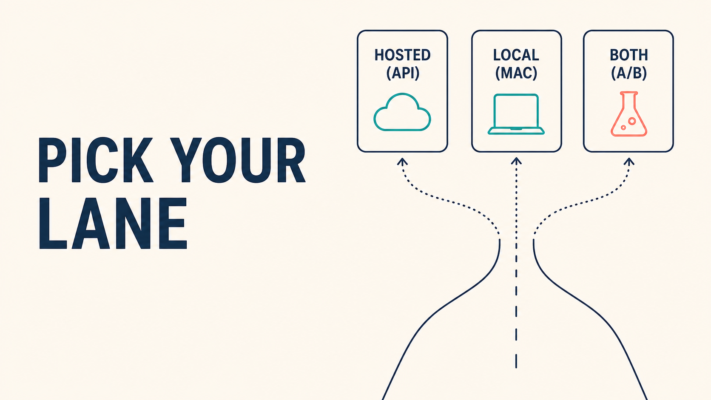
Pick Your Lane in the Jev Ecosystem
| Your situation | Start here |
|---|---|
| No Mac, want it today | Build 1, via the free gateway (ends Sept 25) |
| Data cannot leave the machine | Build 2 (or Build 3 for the encoder route) |
| You need 32K context | Hosted Jev for now; local checkpoints cap at 1K |
| You are building browser automation | Build 4, with Build 3 underneath it |
| Thousands of calls a day, cost is the issue | Build 3 + Build 5, then talk to your invoice |
| You want to understand before committing | Build 1 + Build 5, nothing else |
Where This Gets Messy
Six honest notes before you send this to a teammate:
- Choice caps at 255 options. Bigger sets need staged selection (score first, then choose), which is an extra call.
- Context is 32K hosted, 512-1,024 on Laya checkpoints. Jev decides about the state you give it; retrieval is still your job.
- Local “Jev-compatible” servers that prompt a general LLM for JSON probabilities (the LocalJev-style approach) are not direct-logit models. Run Build 5 on them before you trust a single threshold.
- The free gateway window closes September 25. After that, direct TypeSafe access is waitlisted, which is exactly why the local lane is not optional reading.
- Vendor latencies are p50-ish numbers from the US West Coast. jevals’ independent p95s (653-693 ms) are the planning numbers.
- A DONE decision is not proof of success. Verify the final state, whatever the agent says.
After the Weekend: Three Questions to Ask Your Log
You will leave the weekend with one artifact that matters more than all five builds together: the decision log from Build 5. Before you close the laptop, ask it three questions, in this order.
1. Where does the confidence curve actually bend? Plot accuracy against the probability bucket you logged. Somewhere in that curve is the confidence level where auto-decisions stop paying for themselves. That point, from your data, is your threshold. The 0.85/0.60 numbers in this article are placeholders; your log has the real ones.
2. Which question type is failing, and does it matter? It is normal for Noul to work well on your data and Score to be noise (the public jevals boards show the same pattern: no model clearly beats guessing on ordered rubrics yet). If the failing type is the one your product depends on, you have found your next build before you wrote a line of code for it.
3. What would one month of this cost? Multiply the per-1,000-decision cost you logged by your realistic monthly volume, for the hosted lane, and by hardware for the local lane. Put the number next to the cost of the thing it replaces (an LLM call, a human review step, a misrouted ticket). That ratio is the entire business case, and now it is your number instead of a vendor’s.
If all three answers are good, promote one of the builds into production behind the threshold and the escalation path, and keep the others running as the A/B. If any answer is bad, you already know exactly where to fix, and that is worth more than a green demo.
The Point of the Weekend
The Jev ecosystem’s argument is no longer “look, a model that decides.” It is “here are five things you can run, and a log to prove them.” A distribution over your options, in a hundred milliseconds, at a price that fits in a spreadsheet, with a calibrated number attached that tells you when to stop trusting it.
Pick one build. The log from Build 5 is the one to keep.
Stay in the loop.
I break down builds like this weekly: what shipped, what survives when you run it, and what you can run on your own laptop. The Jev ecosystem is moving every few days, and the gap between “trending on X” and “in your production stack” is exactly the part I write about.
Subscribe to Byte Builders: bytebuilders.beehiiv.com/subscribe
One email a week. No fluff, no vendor benchmarks rehashed, just what you can run.

lfr
Build Your Resume Effortlessly with Our Professional Templates
Create your resume easily with our resume builder
and professional templates.